A history that stays complete
Record every service and incident against the car, with the odometer reading and the tasks performed. Nothing is summarised away and nothing expires.
A desktop app that keeps the full maintenance history of your cars — and tells you what is due next, before it is overdue.
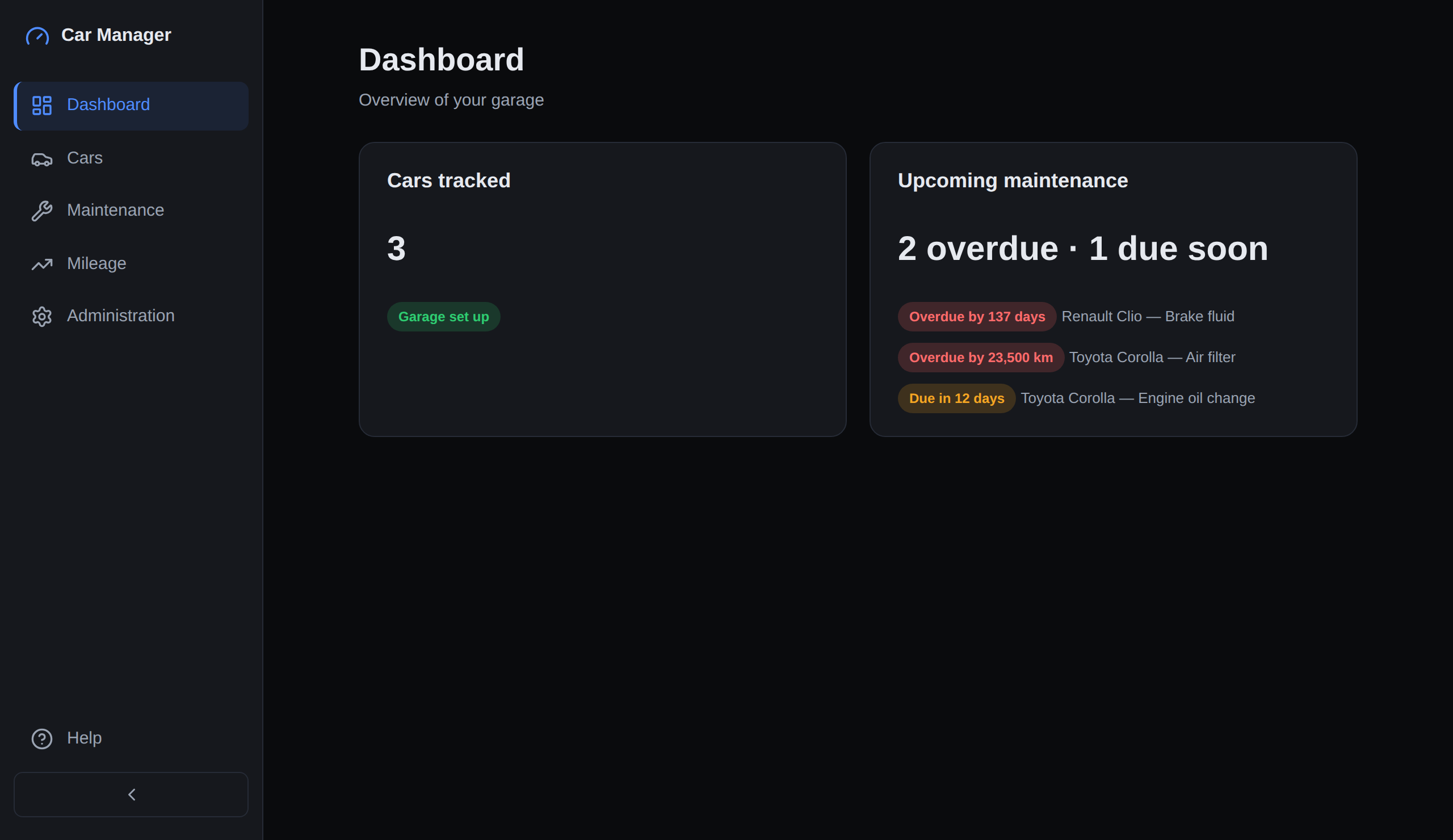
The Dashboard opens on what needs attention: every car, its current mileage, and the most urgent maintenance job waiting on it.
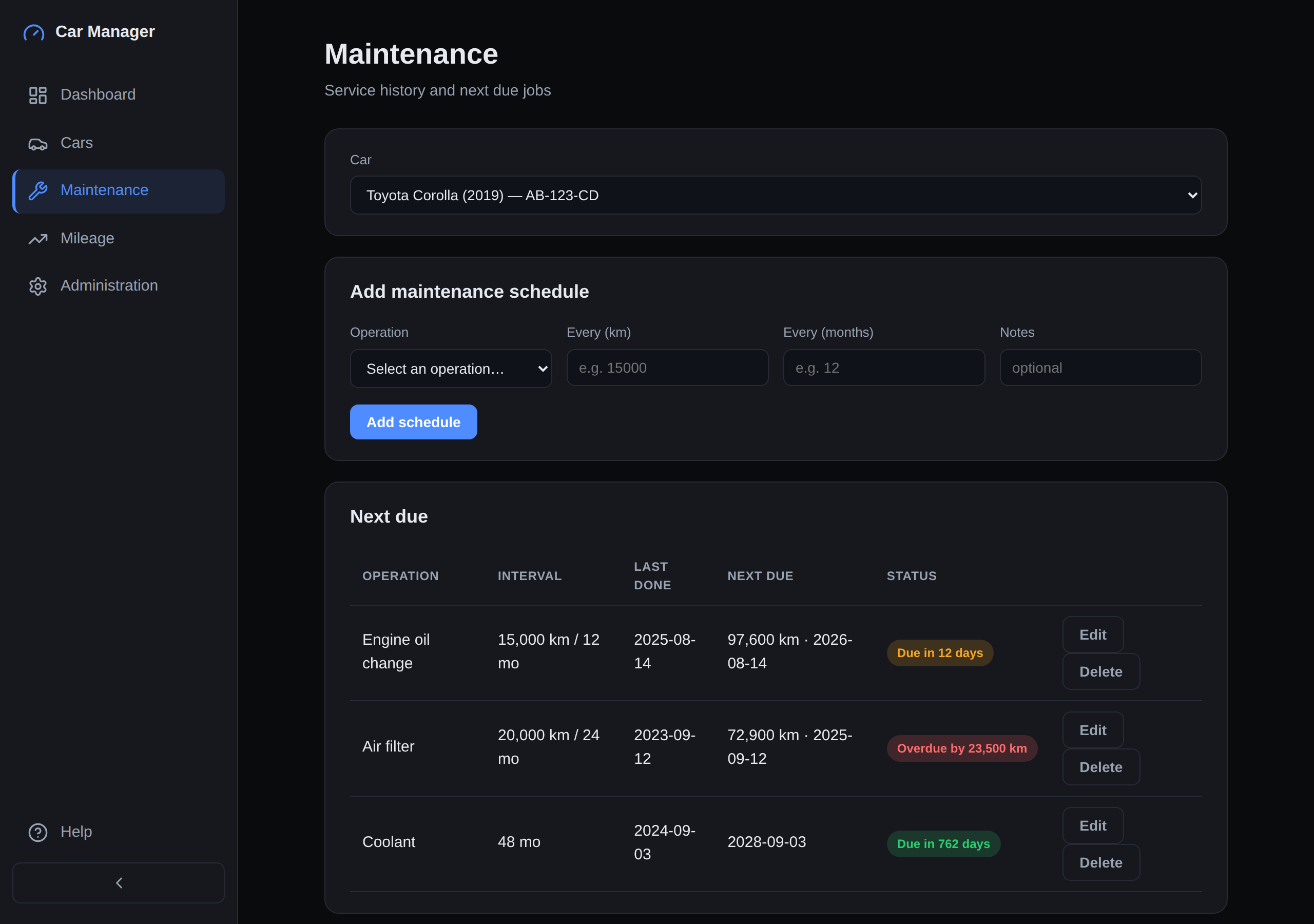
Maintenance holds the service history and the schedules derived from it: what the interval is, when the job was last done, when it falls due next, and how much is left — in kilometres, in months, or whichever runs out first.
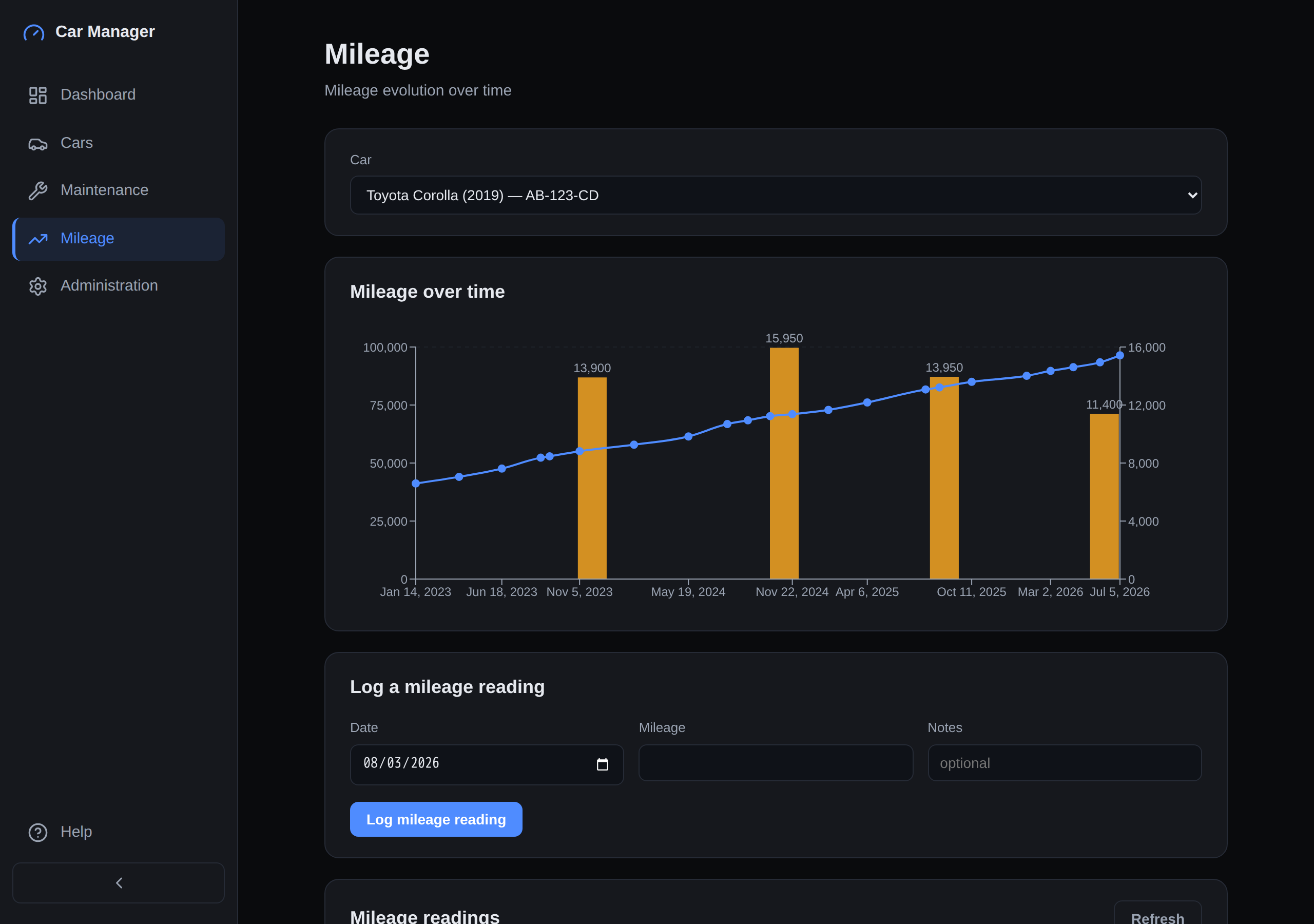
The Mileage page plots every reading on a time scale, so a quiet winter and a long summer look different — with a bar per calendar year showing the distance covered.
Car Manager runs on Windows and Linux today. The installers are not signed with an OS code-signing certificate yet, so Windows shows a SmartScreen warning the first time you run one — the download page explains exactly what you will see and how to check the file you downloaded is intact.
Updates are offered inside the app and are verified before they are applied: an update that is not signed by the project's own release key is refused, not installed.